
FM-Funknetz Standard Configuration for SVXLink
Practical SVXLink configuration for an FM-Funknetz hotspot on Linux with SimplexLogic, ReflectorLogic, NetLink, SHARI hardware and sensible squelch delays.
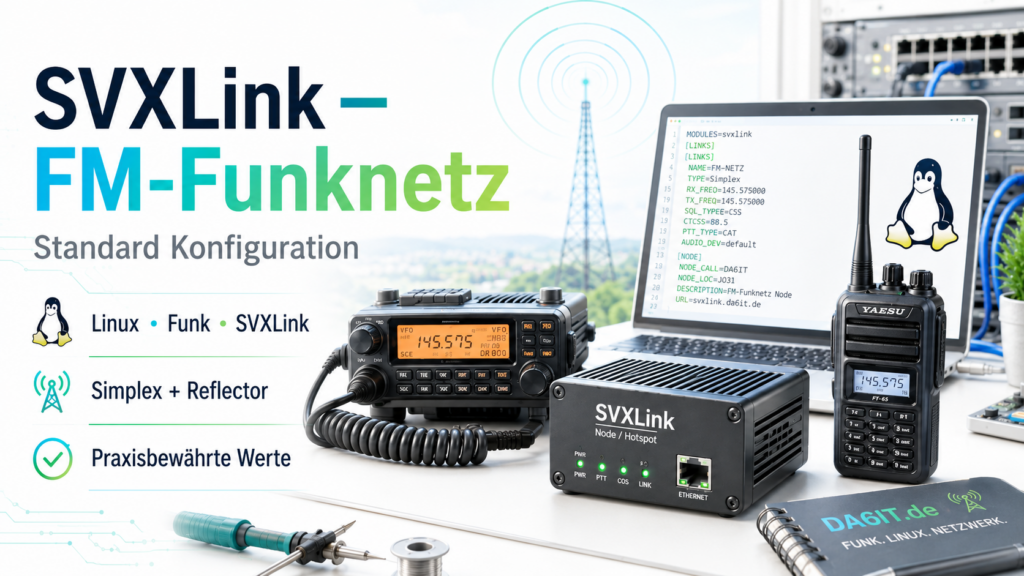
With SVXLink, a Linux system, a suitable audio/PTT interface and a radio can be turned into a powerful FM hotspot or simplex access point. The following configuration is intended as a practical starting point for use with FM-Funknetz and connects a local SimplexLogic with ReflectorLogic and the associated NetLink.
It is deliberately not meant to be a universal “copy, paste and done” file. Callsign, credentials, frequency, locator, audio device and PTT control always need to match your own station. As a foundation, however, it clearly shows how the individual SVXLink components work together.
What is FM-Funknetz?
FM-Funknetz connects conventional FM systems via SVXLink and an SvxReflector. Repeaters, simplex access points and hotspots can be linked over IP. Voice traffic is distributed through talkgroups, so not every access point necessarily has to hear every transmission.
This is especially interesting for a small personal hotspot: on the radio side it remains normal analog FM, while SVXLink handles audio, control and the reflector connection in the background. It is a nice way to combine Linux, networking and amateur radio.
How the SVXLink configuration is structured
The file is split into several logical sections. SimplexLogic controls the local radio path, Rx1 and Tx1 describe receive and transmit behavior, while ReflectorLogic creates the connection to FM-Funknetz. NetLink connects the local and remote logic.
- GLOBAL: loads the required logic modules and defines basic SVXLink settings.
- SimplexLogic: represents the local FM hotspot or simplex access point.
- Rx1: contains audio, VOX and squelch settings for reception.
- Tx1: defines audio output, PTT control and transmit delays.
- ReflectorLogic: establishes the connection to the reflector and the selected talkgroup.
- NetLink: connects the local SimplexLogic with ReflectorLogic.
- LocationInfo: describes callsign, locator, frequency, power and antenna of the access point.
SQL_START_DELAY and SQL_DELAY: small values with a big effect
SQL_START_DELAY=500 and SQL_DELAY=500. If squelch detection reacts too early or drops too quickly, the beginning of speech can be lost, short interruptions can occur or the hotspot can simply feel unstable.For the combination shown here with SQL_DET=VOX, 500 ms for both values is a practical starting point. That does not mean 500 ms is automatically ideal for every piece of hardware. Other squelch methods, audio interfaces or radio modules may need different values. If an SVXLink hotspot behaves strangely on receive, these two parameters are among the first things I would check.
SVXLink configuration for FM-Funknetz
The following svxlink.conf contains the complete example configuration. Use the button in the top-right corner to copy it and then adapt it to your Linux system.
[GLOBAL]
MODULE_PATH=/usr/lib/x86_64-linux-gnu/svxlink
LOGICS=SimplexLogic,ReflectorLogic
CFG_DIR=svxlink.d
#TIMESTAMP_FORMAT="%c"
TIMESTAMP_FORMAT="%d %b %Y %H:%M:%S.%f"
CARD_SAMPLE_RATE=48000
LINKS=NetLink

[SimplexLogic]
TYPE=Simplex
RX=Rx1
TX=Tx1
#MODULES=ModuleHelp,ModuleParrot
MODULES=ModuleHelp,ModuleEchoLink
CALLSIGN=CALLSIGN-HS
SHORT_IDENT_INTERVAL=0
LONG_IDENT_INTERVAL=0
EVENT_HANDLER=/usr/share/svxlink/events.tcl
#DTMF_CTRL_PTY=/dev/shm/simplex_ctrl
DTMF_CTRL_PTY=/var/lib/svxlink/control/simplex_ctrl
DEFAULT_LANG=de_DE
RGR_SOUND_DELAY=0
FX_GAIN_NORMAL=0
FX_GAIN_LOW=-12
MACROS=SimplexLogicMacros

[Rx1]
TYPE=Local
AUDIO_DEV=alsa:plughw:0,0
AUDIO_CHANNEL=0
SQL_DET=VOX
SQL_START_DELAY=500
SQL_DELAY=500
SQL_HANGTIME=1500
VOX_FILTER_DEPTH=10
VOX_THRESH=220
DEEMPHASIS=0
DTMF_DEC_TYPE=INTERNAL
DTMF_MUTING=1
DTMF_HANGTIME=40

[Tx1]
TYPE=Local
AUDIO_DEV=alsa:plughw:0,0
AUDIO_CHANNEL=0
PTT_TYPE=Hidraw
HID_DEVICE=/dev/hidraw1
HID_PTT_PIN=GPIO3
TIMEOUT=300
TX_DELAY=500
PREEMPHASIS=0
DTMF_TONE_LENGTH=100
DTMF_TONE_SPACING=50
DTMF_DIGIT_PWR=-15

[ReflectorLogic]
TYPE=Reflector
DNS_DOMAIN=reflector-network.de
CALLSIGN=CALLSIGN-HS
AUTH_KEY=FM-Password
#DEFAULT_TG=0
DEFAULT_TG=47669
TG_SELECT_TIMEOUT=60
ANNOUNCE_REMOTE_MIN_INTERVAL=300
EVENT_HANDLER=/usr/share/svxlink/events.tcl
NODE_INFO_FILE=/etc/svxlink/node_info.json
MUTE_FIRST_TX_LOC=0
MUTE_FIRST_TX_REM=0
TMP_MONITOR_TIMEOUT=3600
UDP_HEARTBEAT_INTERVAL=15
QSY_PENDING_TIMEOUT=15
DEFAULT_LANG=de_DE

[NetLink]
CONNECT_LOGICS=SimplexLogic:9:thr,ReflectorLogic
DEFAULT_ACTIVE=1
TIMEOUT=600

[LocationInfo]
CALLSIGN=CALLSIGN-HS
LOCATOR=JO31EJ
FREQUENCY=430.025
TX_POWER=1
ANTENNA=SHARI Hotspot

[SimplexLogicMacros]
1=EchoLink:
2=:#
Values you need to adapt to your station
- CALLSIGN-HS: replace it with the callsign or hotspot callsign of your station.
- AUTH_KEY / FM-Password: enter your personal reflector credentials here.
- DEFAULT_TG: choose the desired default FM-Funknetz talkgroup.
- LOCATOR, FREQUENCY, TX_POWER and ANTENNA: fill in the actual values for your station.
- AUDIO_DEV: adjust it to the ALSA device number of your audio interface.
- HID_DEVICE and HID_PTT_PIN: configure them for the PTT hardware you are using.
- VOX_THRESH: tune it to your own audio level if necessary.
Test locally before connecting to the reflector
Before connecting a new hotspot permanently to FM-Funknetz, it is worth doing a local functional test. ReflectorLogic can initially remain disabled while RX, TX, PTT, squelch and audio are tested locally. This makes it easier to catch configuration errors without accidentally sending unwanted transmissions into the network.
With a SHARI or a similar hotspot, test several short and longer transmissions afterwards: Is the first part of a word cut off? Does the squelch remain open unnecessarily long? Does PTT switch reliably? Is the audio level clean in both directions? Only when the local radio path works properly should the reflector connection be added.
Check the current FM-Funknetz settings
Credentials and individual ReflectorLogic parameters can change with newer SVXLink or reflector versions. Before final commissioning, check the official FM-Funknetz access setup and the FM-Funknetz wiki. If the current server or access information published there differs from this static example, the official information takes precedence.
Conclusion
With a clean SVXLink configuration on Linux, an FM-Funknetz hotspot can run very reliably. The reflector credentials are only one part of the setup; the less obvious local details matter just as much: audio device, PTT, VOX threshold and especially the squelch timings. That is why this snippet includes not only the finished configuration, but also the settings that are usually most useful when troubleshooting.